16 Apr 2013

Fretter, another chordfinder for iPhone


This might be just another chord finder for iOS. It costs 1,79€ which I think is ok. To get chords for bouzouki just select mandolin and tuning custom. Then click on top right button custom and select your tuning. 
In Normal mode you can define chords and the app shows them to you. In reverse mode you can define chords on the fretboard and fretter gives you the name for the chord. This does not funktion always. For example 2400 gives you no name.

There is a free version available, so just try it. They say the free version is only limited in chord recognition, so bouzouki must be available.

developer site: http://fretterapp.com

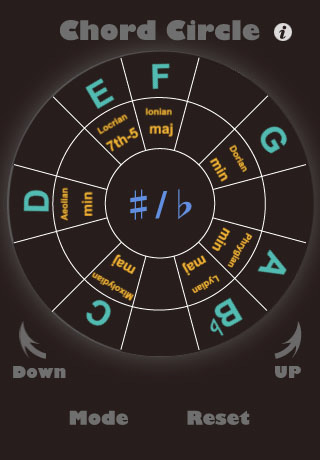
Chord Circle - iPhone App for free

This is just a simple app to help understanding music and the chord cycle. It also helps you to transpose chords. As it is free just give it a try.
Information: http://www.osirisguitar.com/clever-app-keys-and-transitions/

Reverse Chord Finder Pro - iPhone/iPad App

This is an interesting app for bouzouki players. In the settings you can define Irish Bouzouki GDAD tuning.  For GDAE just select Mandolin or Plectrum Banjo 3. If you use ADAD I think you have to write a message to the writers of the app. I did when I bought the app more than a year ago and the added the GDAD bouzouki really soon afterwards.

We often play two finger chords somewhere on the fingerboard, but what are they called? RevChordPro helps. Just open the app, tip the chord you are playing and it gives the name. This can be helpful sometimes. Often one fingering can give different chords which is really interesting. Unfotunately the app isn't cheap at all. 8,99€ is a lot. But if you wait, maybe one day it'll getting cheaper. Consult AppTicker or AppZapPro.

Information: http://www.reversechord.com